Hello Taggers I wanted to try out creating tubes using an AI genertator so this is a tag I made using one of the tubes I created. The scraps are from a mini kit I am working on called "Purple Passion" which is also the name of this tag. I do love purple! I will tag one for anyone who request it.
Wednesday, May 15, 2024
Tuesday, February 12, 2019
New Tagger Size Digital Scrap Kit Bundle (FTU)
Hello friends, well I am off to Spring classes so I will be ghost for a few months until the semester is over at least. I will try to pop in sometime in the Spring if time permits. Per popular demand, I have been busy in my design software and have completed a tagger size scrap kit bundle filled with green things inspired by the precious Emerald jewel. I call the kit "Emerald Dreams". There are 50 Elements, 10 Papers, 3 Animations and a 2 layered Tube. All FTU as usual. The tube is licensed via the Creative Commons license 4.0. No credit is required however, I have included a link for the source of the original image. I've included a color palette and there are instructions who to add an animation to your tag.
Click on the preview below to download Emerald Dreams Tagger size Scrap Kit Bundle.
or
HERE
I used the kit to make the tag below with an image by Candra
You may download the tube HERE
"PLEASE READ THE TOU INCLUDED IN THE FILE"
Back To The Top
Friday, December 23, 2016
Merry Christmas!!! Little Christmas Fairie © Lia Selina and New Tagger size Scrap Kit to match!
Merry Christmas! I pray all of you are having a festive and blessed holiday season. I have created a small Tagger size Scrap Kit to match a cute little Christmas Fairie created by one of my favorite artist, Lia Selina. The Christmas themed kit has 40+ elements and 16 papers. Click on the preview or text link below the download the kit. You will be redirected to Sugarsync.com where I host my files.
Thank you, happy new year!
..:HERE:..
"PLEASE READ THE TOU INCLUDED IN THE FILE"
Back To The Top
Tuesday, February 10, 2015
New Tube share © Lia Selina with matching Taggers Size Mini Scrap Kit
It's been a while yes! I have a Tube and Mini kit bundle for you tonight.
A cute little Valentine's image from © Lia Selina and a Taggers Scrap kit. It has 34 Elements,
8 Frames, 8 papers and 2 Wordart. The tube has 2 layers. Click on the preview or text link below
to download the package.
Thank you, have fun
creating!
..:HERE:..
"PLEASE READ THE TOU INCLUDED IN THE FILE"
Back To The Top
Tuesday, September 30, 2014
FTU Tube Share and Scrap kit bundle
Hi friends, I'm back with a Scrap Kit/Tube Bundle. I felt like playing
with one of my fav colors - Gold. So, here is a kit with 33 golden elements, 19 papers, an
Alpha, and 2 individual Tubes of a gorgeous 'Nubian Model'. The images that are not created
by me are licensed
via Creative Commons for non-commercial use. No credit is required, however, I have
included credit information in the TOU for your convenience. Please click on the preview
or text link below to download the package.
Thank you, have fun creating!
..:HERE:..
Here is a snag tag for you. 'Right Click' on the image and 'save' to your device. It is also included in the kit for those who download it.
"PLEASE READ THE TOU INCLUDED IN THE FILE"
Back To The Top
Tuesday, September 16, 2014
FTU Scrap Kit and Tube Bundle
Good evening, tonight I have a new Taggers size scrap kit and Tube bundle for you. I have joined
Wikimedia Commons and have created a magnificent set of graphics for your creations. This kit contains 57 delicious elements and 15 tasty papers. The tube is 'Alyssa Milano' dressed
befitting the theme 'Good Eats'. Click on the preview or text link below to download the kit. You may view my TOU my clicking on the link in the right column of this page. TOU will also be included in the download,
Thank you, have fun
creating!
..:HERE:..
"PLEASE READ THE TOU INCLUDED IN THE FILE"
Back To The Top
Wednesday, August 13, 2014
FTU Tube Share © Candra "Gold Horns" and Gold on Violet"
Here are two tubes from © Candra's paintings "Gold Horns" and "Gold on Violet". You may view Candra's TOU by clicking on the link in the right column of this page. Click on the previews or text link below them to download the tube.
Thank you, have fun creating!
..:HERE:..
..:HERE:..
"PLEASE READ THE TOU INCLUDED IN THE FILE"
If you like the "Gold on Violet" tube, then maybe you will like my "Gold & Violet" Taggers Scrap kit.
Click on the preview or text link below to download the kit.
..:HERE"..
"PLEASE READ THE TOU INCLUDED IN THE FILE"
Back To The Top
Saturday, June 28, 2014
3 © Popeye Wong Tubes - Mexico Series with Matching Tagger Size Scrap Kit
Today I have 3 © Popeye Wong Tubes from his 'Mexican' series. The 1st is the "Bicentennial Promo", It has 5 layers to play with.
The 2nd is the "Escalera de Luz" image that includes a closeup.
The 3rd is the "Peso sobre Peso" image that is not tubed by me. I was asked by a friend to layer this tube (which is available on Pop's Tube download page ..:HERE:.., there are over 200 tubes there), so I am sharing the layered version with you all.
Please follow the TOU provided with the tube(s). You can view Popeye's Permissions and Terms of Use by clicking the link in the right column of this page.
I have a made a Mexico inspired 'Mini - Tagger size Scrap Kit'
to match these tubes.
Click on the previews or text links below to download the tubes and Scrap Kit.
Thanks for snagging my shares!
Happy Tagging!
"BICENTENNIAL PROMO"
..:HERE:..
"ESCALERA de LUZ"
..:HERE:..
"PESO SOBRE PESO"
..:HERE:..
"VIVA! MEXICO Taggers size Scrap Kit"
..:HERE:..
"PLEASE READ THE TOU INCLUDED IN THE FILE"
Back To The Top
Friday, June 20, 2014
Update - DymunArt™ Creations PTU Scrap kits
Saturday, April 19, 2014
Happy Easter! FTU Giveaway FTU Tube and new TS Kit
Happy Easter everyone, to celebrate, I have made a new FTU Scrap Kit inspired by Lia's "Devony" painting. The package includes the multi layered tube, 34 Elements, 13 unique Papers, 5 Animations and 5 wordart.
I have written a quick tutorial for your convenience.
Click on the previews or link below to snag the kit.
Snag the kit HERE
Hope you all like it. :D
Friday, April 4, 2014
Violet - Signature Tag Tutorial
This Tutorial is copyrighted and registered at
UPDATE: My 'Gold 'N Violet' Scrap is now FTU effective July 1, 2014, the download is now free, however the Tube is no longer included as a condition of conversion to FTU per Ms. Jensen's TOU
This Signature tag tutorial was created in PSP X2 on April 4, 2014 by me and copyrighted to me, Lil Dymun and registered with Tutorial Writers Inc. Any resemblance to another tag or tutorial is completely coincidental.
This will be quick and easy
What's needed: A 'good' working knowledge of PSP;
Corel PSP - Get a Free Trial .:Here:.
Alien skin Eye Candy 5 Impact plugin - Get it .:Here:.
You will need my supplies .:HERE:.
You will need to put the file 'gve63_©DAC.pspSelection' into your 'Selections' folder (commonly found in your 'My Douments/My PSP Files/...). Put the ©DAC_front1.fls into your Eye Candy 5 Impact - Perspective Shadow (or shadow) 'Settings' folder which is located in your 'Plugins' folder. GO to 'My Documents', then 'My PSP Files, then 'Plugins'. Then Open the 'Alien Skins' folder and then the 'Eye Candy 5' folder, then the 'Impact' folder, then the 'Perspective Shadow' or 'Shadow' folder, then the 'Settings' folder and copy or move the file there.
To make this tag I used the art of Enamorte, This is a Tube made available to members of The Diamond Club at Creative Design Outlet, you may license the artists images there. I also used my "Gold and Violet" Scrap Kit, you can get it .:HERE:. (of course you can use any tubes or kits you like :D) You will also need my Mask 9, which you can snag .:HERE:.
it's a 'freebie'.
Now, let's get started!
Open a blank 600x600px 72dpi canvas. Go to 'Selections' and 'load from disk' my Selection 'gve63_©DAC.pspSelection' file. Open element 'gve63' frame, copy and paste to your canvas, resize the frame 65%. Move the frame so that the Selection is in the center of the frame. Delete the bottom (empty) layer. Open 'paper 11', copy and paste to the canvas under the frame, resize paper 80%, invert Selection and hit delete on the paper layer. De-select and 'merge visible'. Open paper 16, copy and paste to your canvas and move it under the frame layer. Resize the paper 70% and apply 'Mask 9'. Resize this layer 90% and with the move tool', move the mask layer up so that no portion is seen below the frame (be sure to keep this layer as the bottom). Now above your mask layer copy and paste element 'gve60' resize 80%.
Copy and paste your tube above the frame and resize if necessary. (Note: a headshot with shoulders works best). Use the 'move tool' with the 'Pick' option to place and rotate the tube in the frame (see diagram below)
Now apply Eye Candy 5 Impact 'Perspective Shadow' using my preset.
(see diagram below)
(Hint: I erased the top portion of the tube shadow that covered the 'frame' shadow to give a more realistic appearance.)
Merge the tube layer to the frame. OK, Almost done! Open element 'gve8' resize 50%, place it on the left side of your tag under the frame layer. Copy and paste element 'gve73' resize 50%, place it to the right of the Crystal Globe (see my tag for reference) add a subtle drop shadow. Copy and paste element 'gve18' resize 35%, place it on top of the gold Basket, add the same drop shadow and merge the 2 together. Copy and paste element 'gve58' to your canvas, resize 80%, 'mirror'
and place on the right side of your tag under the frame layer. Add a subtle drop shadow. Copy and paste element 'gve17' resize 50% and place it above the tube in the left corner of the frame (see my tag for reference) add a drop shadow of choice. I used Eye Candy 5 Impact Perspective Shadow setting 'Reflect in Front - Faint' and in the Basics tab 'Reflect Selection Color' and 'Mask Selection' both ticked. If you want to resize your entire tag, do it now. Add artist copyright info.
Now add your name or other text. The font I used is
'Anglia Olde Concise' at 100px, foreground - nil, background - 111,0,87; drop shadow - 3,0,100,5 and the same color. Save as .png or flatten to .jpg if you prefer.
Below is a tag that features a tube that is included in the 'Gold and Velvet' scrap kit. So as you can see
this tutorial also works with a full body tube. I hope you enjoyed this tutorial, I would love to see tags you make from it. Email me your results by clicking the link below.
Lil Dymun
Wednesday, April 2, 2014
Gold N' Violet Tagger size Kit - Now a 'Freebie'
This kit is now a freebie - Barbara Jensen tube is no longer include
click on the link below or the preview image.
Gold and Violet Tagger size Scrap Kit
Thursday, March 27, 2014
Free MEGA Tagger size Scrap Kit Giveaway!
Hi everyone, I have been in the tubing mood lately, and while visiting one of my favorite FTU artist sites I discovered some awesome images I hadn't seen before. Since it is Spring, I was drawn to the vibrant and
bright colors © Candra used in her "Delirium' pieces. As I was tubing I thought to myself, you can't stop here, you gotta make a scrap kit to match these tubes! Then I thought to myself...hmm, why not
give the kit and tubes away on your Blog! GOOD idea! Then, I got on a roll, I made an Alpha, then a Signature tag Template. Since I made gradients to make the Scrap Kit, I decided to share
them too. OK, so I became manic and made a set of Animations also...so this MEGA kit includes:
41 unique Elements
13 unique Papers
7 PSP Gradients
5 Animations
5 Wordart
1 Alpha
1 Signature Tag Template
I hope you enjoy these freebies, I have included everything you need to make any tag you like in this
giveaway, well except a signature tag tutorial! Sooo...if you need a tag tutorial then click on one of the tutorials listed in the right column of this page. Click on the images or links below
to snag the Tube package and Mega scrap kit. Scroll down a bit further for a special bonus! Thanks!
"DELIRIUM - Mega Scrap Kit"
..:DOWNLOAD:..
the kit
"Delirium Tube Package"
..:DOWNLOAD:..
Delirium tube pkg
Please enjoy these goodies, come back and visit often as I will be sharing tubes monthly. To anyone who joins my Blog, I will send the "Graverobber and Delirium" tube (preview below) as a thank you gift.
Once you've joined, please click below to request your tube.
"PLEASE READ THE TOU INCLUDED IN THE FILE"
Back to the Top
Monday, February 4, 2013
Free Fan Art + @ indie-Zine
Freebies from indie-Zine
indie-Zine store is now closed. The tube below is no longer available, however you may download my kit from my storage site.
I made this tag with art from the fabulous Khaun Tru, and a 'freebie' Scrap Kit from DymunArt™ Creations click the image below to download.
Saturday, June 30, 2012
I Love Music Mini Scrap Kit - Freebie!
I have a Free Mini Scrap Kit for you all click
..:HERE:..
or on the preview below to get the kit.
Monday, November 28, 2011
Tag TV - Signature tag
It features the art of Kenny K and my 'Who Knew! Blue' scrap kit. The kit is available for download
..:HERE:..
Thursday, October 27, 2011
Who Knew! Blue - Tagger size kit (PTU) : update: NOW FTU (effective July 1 2014) - download links updated
I have a new kit in my stores. 41 unique elements and 25 awesome papers. There is also an Alpha and Color Palette. Click the preview or text link below to download the kit.
Click the preview or .:HERE:.
Thanks,
Lil
Thursday, October 13, 2011
Black N' White Tag Tutorial
Tag Tutorial
Black N' White
This is an animated tag tutorial created in Corel Paint Shop Pro Photo X2 and Animation Shop 3. The animation can be done in EZ GIF Animator or Ulead GIF Animator 5 as well.
I hope you enjoy this tutorial.
Please send me your finished tag. I would love to see your results!!
Contact me via the link at the bottom of this page.
What's needed: A 'good' working knowledge of PSP;
Corel PSP - Get a Free Trial .:Here:.
Alien skin Eye Candy 5 Textures plugin - Get it .:Here:.
(You will need this for the animation effect.)
Here are links for animation software: Animation Shop 3 ;
EZ Gif Animator
Font of Choice - I used the Alpha provided in the Black N' White Scrap Kit.
DMSK mask 0670 - get it .:Here:.
Supplies
Tube of choice (it's best to have one that includes a closeup). I am using the gorgeous art of © Nicole Brune, (This is an 'exclusive AOTM' tube. To get these tubes you need to join "The Diamond Club" at Creative Design Outlet.) Ms. Brune's work may be licensed via Creative Design Outlet.
My Black N' White Scrap Kit
Download he scrap kit here it's a freebie from me
The wordart is created and copyrighted to me. You may
colorize these items to suit your tag. Please do not share my supplies with others or groups. Do not upload to file sharing sites or claim as your own. You may provide a link to his tutorial and a screen shot of this page.
Let's Get Started
(remember to 'save' often!)
Open a blank canvas 700x700 px, flood fill white. Copy and paste paper 6 as a new layer (or create your own background). Apply the mask of your choice. I used DMSK0670 Copy and paste the Gateway Frame (frame1). Add a white gradient glow using the settings in the diagram below.
Copy and paste the lamppost tube and place it behind the gateway frame on the left side towards the middle of the door (see my tag for reference). Add a drop shadow of H 2, V 2, opacity 50, blur 5. Copy and paste the Monument tube, resize 40% and place on the right side of the gateway entrance (see tag). Copy and paste your tube, resize if necessary.
Place the tube in front of, and right of the monument. Add a drop
shadow, I used V -10, H -14, opacity 50, blur 15. Open the Vase tube, copy and paste to your canvas resize 70% and move it to the left side of the gateway and place at the edge of the gate.
Add a drop shadow of H 5, V 5, opacity 50, blur 5. Open the Urn tube copy and paste and duplicate once. Resize one 40% and the other 30%. Add drop shadow of H -4, V 4, opacity 55, blur 5, to both. Place them on the right side of the gateway in front of your tube (see my tag for reference). Copy and paste the wordart 1 "Enter" from my supplies, resize 80% and place it in the center of the rectangle at the top of the gateway. Now copy and paste the wordart 2 to the center of the gateway opening.
Copy and paste the 'Key' tube, resize 30%, rotate right 47 degrees, add the same 'Gradient Glow' that we put on the Gateway frame. and place under wordart 2. Now for the finish, if you have a closeup with your tube, place it at the top of the tag
and change the layer 'blend mode' to 'Soft Light' (see my tag for reference). Now image resize - 'all layers' checked, 80%.
Now add copyright info and your name, I used the Alpha in the kit for my name.
If you are not animating, delete the white layer merge all layers and save as .png or flatten all layers and save as .jpeg.
Animation
Move the closeup layer to just above the mask layer. Close off all layers except the bottom 4 (closeup, lamppost, mask, and white background), merge these layers. Close this layer, open the Urns and the Vase, activate the Vase layer, merge visible. Close this layer. Open the remaining layers EXCEPT the Gateway. Activate the top layer, merge visible. You should now have 4 layers. Close the top layer and activate and open the Gateway layer. With the Selection tool 'lasso' set at Point to Point (see diagram below), trace the marble floor.
Now activate the Urns and Vase layer; change the Selection tool to the 'Magic Wand' and use the settings in the diagram below.
Select the
Vase and the Urns. Merge this layer with the Gateway and duplicate twice. Click on the first merged Gateway layer and apply Alien Skin Eye Candy 5 Impact Texture filter/Texture Noise with the settings in the diagram below.
Apply to the other 2 layers hitting the random seed button each time. Deselect. O K, now close the 2nd and 3rd Gateway layers. Click on the top layer to activate it, 'copy merged' and paste into your animation software as a 'new animation'. Back to PSP, close the 'red eye' on the 1st Gateway layer and open the 2nd layer. Copy merged and paste 'after current frame' in your animation software. Repeat with the last Gateway layer in PSP. Change your frame properties/speed to 17, save as a .gif file.
I wrote this tutorial on October 13, 2011, any resemblance to another is unintentional and coincidental.
Sunday, September 25, 2011
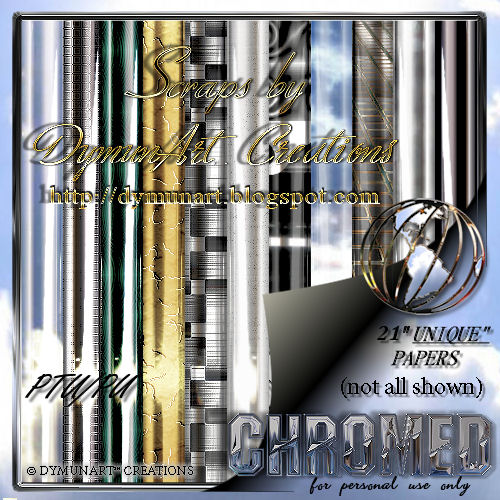
Chromed - Taggers Size Scrap Kit
♦ ♦
♦ Back To The Top ♦